vpn · $3/mo
Commercial tunnels (VPN)
The general-purpose answer: works on nearly every device, detected by the biggest services.
Where to get it
Vendors of this kind, each carrying the price shape and the honest catch we hold on file. Prices as checked 2026-11-23. Links are plain redirects to the operator - the disclosure below says so before you click.


Service links go to the operator. Solution links go to our comparison pages. Provider links are plain redirects today; if they ever carry a commission, this line says so before you click.
In one line
The right first paid tool for everything except the hardest services. Pick it for the country you need, test it inside the refund window, and price it by the renewal, not the intro.
A commercial tunnel routes your traffic through a server in the US, so the service sees an American address. It is the cheapest general answer and it works on almost anything that can run an app. What it cannot do is change your card country, your app-store region or a device registration.
What a tunnel actually does, in one picture
A tunnel sits between your device and the internet and forwards your traffic through a server in another country. For US streaming the interesting part is the last hop: the service sees the exit's address, not yours. Everything that follows is about the two things that decide whether that works, and the one thing it never fixes.
The server decides, not the brand
Services block by IP range. Every commercial provider rents its exits from hosting companies and those ranges are public, so the big streamers simply keep lists. A provider can have perfect encryption, a famous name and a 30-day refund, and still fail on the service you care about, because the specific range you landed on has been used by streamers all month.
Three practical consequences follow from that one fact.
Pick the provider for the country, not the feature list. What you need is US exits that are not on the blocklists today, and a provider that rotates them when they are. That is why two providers at the same price can behave completely differently on the same evening.
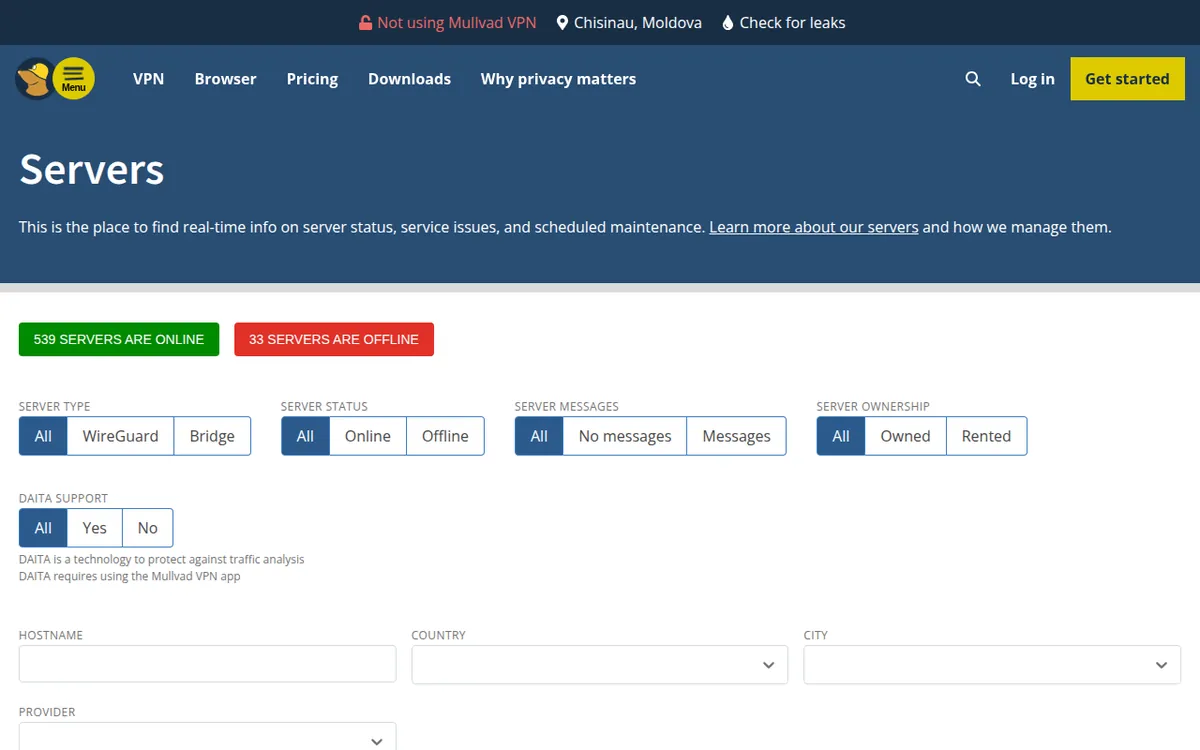
Test in the refund window, against the exact service you care about. Every serious provider has one (30 days at ExpressVPN, Proton, PIA and Surfshark, 14 days at Mullvad, 7 days of free trial on Android for NordVPN). Connect, open the service, play something, and if it fails, either switch servers once or take the refund. Do not read a review, including this one, as a guarantee; the lists move weekly.
The "streaming-optimized" tier is often real, but not always. CyberGhost publishes a dedicated list of streaming servers and was the only major provider in the Cloudwards May 2026 test that had them. Others (NordVPN's SmartPlay, ExpressVPN's MediaStreamer) achieve the same thing by mixing the tunnel with DNS tricks. If a provider offers a dedicated-IP add-on, that is the most reliable shape of all: an address nobody else uses, which is why ExpressVPN sells one and PIA sells one.
What the big services actually do in 2026
Netflix states its position in plain words: with a VPN you may only be shown what Netflix licenses worldwide, and live events and the ad-supported plan do not work through one at all [1]. In practice that means the tunnel gets you in and shows you a catalogue, but not necessarily the US one, and never the Super Bowl. Netflix even documents the test: open fast.com on the same network and check the "Client" country.
The harder walls are not IP checks at all:
- Live TV bundles (YouTube TV, Hulu + Live TV, Fubo) verify a US billing address and a US card. That is the payment gate, not the IP gate.
- Services with app-store apps often show you nothing at all if your store region is not the US, which is the app-store gate.
- The toughest checks (Hulu at signup, pay-TV logins, regional sports) verify account properties the tunnel cannot touch. When you hit one of those, the honest answer is the official international route, not a better tunnel.
Prices, honestly (the part every other article hides)
The advertised number is the two-year intro billed once, and the renewal is what you pay for the rest of your life as a customer. Every price below was checked on the provider's own page on 2026 November 22 [2][3][4][5][6].
| Provider | Intro (first bill) | What it renews at | Refund |
|---|---|---|---|
| NordVPN | $2.99/mo, billed $80.73 every 2 years | about $139/year (checked October 2026) [9] | 30 days |
| ExpressVPN | $2.79/mo, billed $78.12 for 28 months | $99.95/year (3.0x the intro) | 30 days |
| Proton VPN Plus | $2.99/mo, billed $35.88 first year | $83.88/year (2.3x) | 30 days |
| Surfshark | geo-priced, no published USD rate | varies by region and plan | 30 days |
| PIA | $1.89/mo, billed $75.60 every 3 years | $75.60 every 3 years (1.0x) | 30 days |
| Windscribe | $5.75/mo on the yearly plan ($69) | same rate | none published |
| Mullvad | 5 EUR flat, every plan | 5 EUR flat (unchanged since 2009) | 14 days (not cash) |
Read that table the other way around: the providers that shout the loudest about their discount have the biggest renewal jumps, and the ones with no sales at all (Mullvad) are the only ones where the first bill equals the tenth. If you hate the renewal game, the honest cheap choice is PIA (its long plan renews at the same price) or Mullvad (one flat price, and it takes cash and Monero, which matters if privacy is your reason for being here). NordVPN, Surfshark and Proton VPN are the three tunnels we link from every service page on this site; the names above all link to the operators' own price pages.
One more honesty note: NordVPN's own pricing page refuses our checker (it answers with an access-block page to datacenter IPs, which is itself a small demonstration of how IP-range filtering works). The numbers above come from the independent test site [8] and from our own operator check in October 2026, and both are dated.
Providers people actually end up with
The shortlist below mixes our own checks with the independent testers' daily data (Cloudwards ran hands-on tests published May 2026, with daily speed data through November 2026) [8]. Prices move constantly; treat them as ranges and check before buying.
| Provider | Where it tends to work | Honest note |
|---|---|---|
| NordVPN | Most US services, including the big streamers [8] | Large US fleet, SmartPlay baked into every app; also the most targeted brand |
| Surfshark | The big streamers, opened on the first attempt in 2026 tests [8] | Unlimited devices on one account, which matters for a household of TVs |
| ExpressVPN | The stubborn services, consistently first-attempt [8] | The most expensive renewal in the table; MediaStreamer helps on TVs |
| Proton VPN | Most majors except Disney+ [8] | Swiss jurisdiction, annual no-logs audits, the strongest free tier |
| PIA | Cheap, many US cities, dedicated IP | Long plan renews at the same price; owned by Kape, which some readers weigh |
| Mullvad | Privacy first, streaming second | Flat price, cash and Monero accepted, no streaming ambitions |
| CyberGhost | Services that match its streaming-server list [8] | Only major with a published Netflix-optimized server list |
| Windscribe | Testing and small plans | 10 GB free tier and a build-a-plan at $1 per location per month |
The setup that works for a television
A TV cannot run a tunnel app. Put the tunnel on the router (or a small travel router on the TV's side of the network) and let every device behind it inherit the US exit. That is the single most useful practical trick in this whole subject, and the device guides walk it per platform, from Fire TV to travel router. If the TV also refuses DNS changes, the fallback is a smart-DNS resolver, which changes the same "which country am I in" answer without any encryption.
Two app features matter more than marketing on the box:
- Kill switch / connection protection. Without it, a dropped tunnel leaks your real country to the service mid-stream, which can trigger a re-check of your account.
- Split tunneling. Route only the streaming app through the US exit and let everything else (banking, local services) run normally. Every provider above has it; use it.
Where a tunnel is the wrong answer
- The league sells the international product. NFL Game Pass International, MLB.TV and NBA League Pass are cheaper, blackout-lighter and perfectly legal alternatives for sport. Check the official routes first.
- The content is free somewhere. Network news, ad-supported catalogues and public broadcasting need no workaround at all. The free routes list what plays without one.
- You are going to watch regularly on a television you cannot route. A smart-DNS resolver is the same answer with less setup, on the condition that the service still accepts DNS-only checks.
- You need the stream to look like a home connection. A residential exit is the heavier, more expensive tool for exactly that case, and running your own exit node at a relative's house beats both when you can.
How to test a tunnel properly in 20 minutes
- Subscribe inside the refund window and pick a US city near the servers that matter to you (most services pick New York, Los Angeles or Chicago by content).
- Connect, then check your apparent country the same way Netflix documents it: fast.com, "Show more info", read the Client country.
- Open the exact service and title you care about and let it play for five minutes, ideally the kind of thing you will actually watch (a live event is the hardest test).
- Note whether the failure is a country error, a catalogue difference, a payment error or a login error: they are different problems, and only the first one is the tunnel's.
- If the tunnel fails twice on two servers, take the refund and try the next provider. That is what the window is for.
Terms and risk
Most US streaming services prohibit tunnels in their terms of use. Enforcement varies; the realistic risk is an account suspension, not a legal matter in most countries. Some countries restrict VPN use itself.
Works well
- Cheapest paid option for most people, with refund windows that make the first month free
- Works on phones, computers, routers and most TV boxes
- Usually includes servers in many other countries too
Watch out for
- Datacenter ranges are widely blocked by the big streamers
- Does nothing about US billing or app-store region
- Intro prices renew at two to three times the first bill
Questions
Which VPN actually works for US Netflix?
What does a VPN for US streaming really cost?
Is using a VPN to watch US TV legal?
Why is my VPN blocked by Netflix, Hulu or Disney+?
Can I put a VPN on my smart TV?
Do I still need to change my app store and payment method?
Is a free VPN good enough?
Sources
- Netflix Help Center - Watching TV shows and movies through a VPNoperator 2026-11-22
- ExpressVPN - plans and prices (order page)operator 2026-11-22
- Proton VPN - pricingoperator 2026-11-22
- Mullvad - pricingoperator 2026-11-22
- PIA - checkout pageoperator 2026-11-23
- Windscribe - upgrade pageoperator 2026-11-23
- Surfshark - pricing (geo-priced, shown in local currency)operator 2026-11-22
- Cloudwards - The Best VPN for Netflix (independent daily tests)news 2026-11-22
- NordVPN - pricing (our checker is blocked, price via Cloudwards, verified October 2026)operator 2026-11-22
- ExpressVPN - pricing pageoperator 2026-11-23
- Mullvad - pricing pageoperator 2026-11-23
- CyberGhost - official siteoperator 2026-11-23